

indycall apk
Indycall APK lets you make free online calls to Indian numbers without mobile balance, a credit card, or PayPal, with fast, secure, and easy Android access.
Indycall App
Indycall App is a calling app that helps users make calls to Indian phone numbers. You can call Indian phone numbers without dealing with credit cards, monthly bills, or expensive international charges. So it is very helpful for many users. People who are working or living outside India can enjoy free calling with their family members and friends. This online calling app uses WiFi or mobile data for calling. It does not use the traditional mobile balance. This makes it a cool app for calling without paying money. This calling app supports communication across 200+ countries. So it is not limited to just India. This makes it a global calling app for users. Indycall app has a smooth and user-friendly interface. It makes the app accessible for every user.
What is Indycall APK?
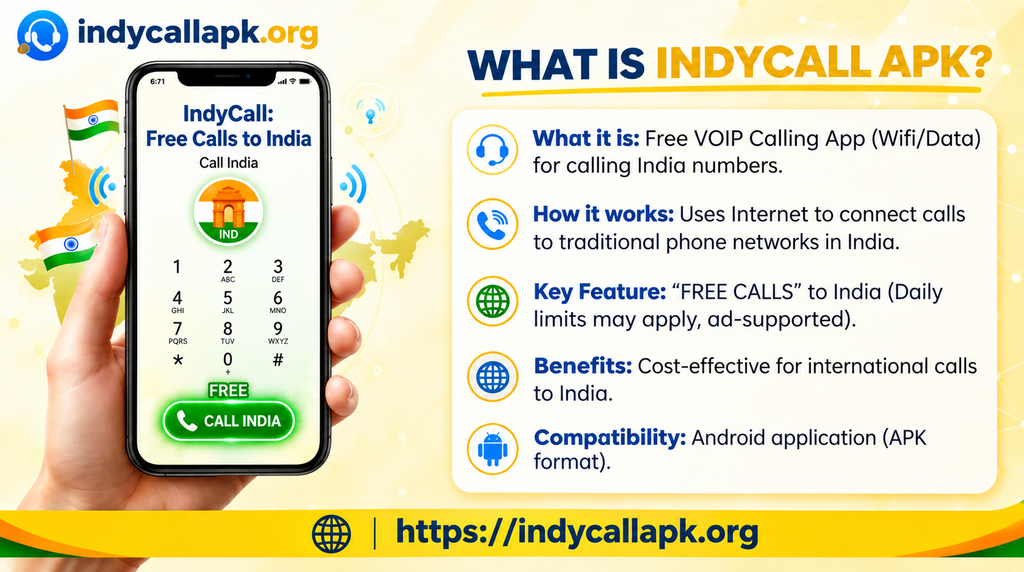
IndyCall APK is an Android calling application. It is specially used for making phone calls to numbers in India. Users can call through the internet without using mobile balance. It works differently from messaging apps because the person receiving the call does not need to use the same service. Making a call is very simple. Just dial indian number manually, and the service connects the call through its calling system. The app supports calls to Indian mobile and landline numbers as well. Free calls have ads, while the paid version is ad-free for users. IndyCall APK Download also offers IndyMinutes. These minutes help users to enjoy extra benefits. This app works with the phone’s contact book, provides a temporary caller number when applicable, and lets registered users use their own number through its number-registration feature. Internet access is required because the service uses online calling technology.
Features of IndyCall APK
Free Calls to Indian Numbers
This app makes calling Indian phone numbers simple and affordable. You can call supported Indian mobile and landline numbers without using normal international calling balance. The service uses advertising to support free calls, so you can get connected without a traditional phone recharge. For regular calls to India, this is a pretty handy option.
Call Mobile and Landline Numbers
IndyCall online Call supports calls to regular Indian phone numbers instead of limiting communication to other app users. You can reach supported mobile and landline numbers directly through the service. This makes the whole thing much easier when the person on the other side does not use a calling application. Just enter the number and get going.
Simple Phone Dialer
This calling app keeps its calling process straightforward with a familiar dialer. You can type the complete number manually and start the connection without going through a complicated menu. The service also lets you choose a saved contact from your phone book. So, whether you know the number by heart or not, calling is pretty much a piece of cake.
Phone Book Support
It connects with the contact book available on your device. Instead of typing a number every single time, you can select a saved contact and begin the call. This saves time and keeps regular calling quick. Once contact access is allowed, your existing phone list makes finding the right person much easier.
Advertisement-Supported Calling
IndyCall download uses advertisements to support its free calling system. Before a free call, an advertisement is shown, and you continue after completing the required ad step. This setup lets users make supported calls without paying a normal international calling charge. For users who do not mind watching a quick ad, it is a simple trade-off.
Call Time Shown Before Connection
It displays the available call time before you connect the call. The duration depends on factors such as your location and the number being called. This is useful because you know the available time upfront instead of getting surprised during the conversation. Just check the displayed limit and then decide when to start talking.
IndyMinutes Support
IndyCall app Download provides IndyMinutes for users who want more flexibility while calling. These minutes can be purchased or earned through available advertiser tasks and surveys. IndyMinutes also remove advertising and calling-duration restrictions while the available credit is being used. So, if you want a smoother experience, these credits give you more room to talk.
Earn Free Calling Minutes
The app gives users a way to collect additional IndyMinutes through advertiser tasks and surveys. You can check the available options from the Get Minutes section and complete the listed activities. This gives users another way to increase their calling credit without directly purchasing it. It is a useful little feature for people who make regular calls.
Temporary Caller Number
IndyCall latest version uses a temporary IndyCall number as the caller number when you make a call without a registered personal number. This means the recipient receives the call through the service’s caller number rather than simply seeing your usual mobile number. The exact caller-number behavior depends on your account and registered-number setup.
Personal Number Registration
IndyCall Mod APK includes a number-registration option for users who want their own phone number associated with outgoing calls. The official FAQ explains that the My Number service lets users register their mobile number as the caller number. This gives regular users another way to manage how their outgoing calls appear to the person receiving them.
No Internet Needed on the Receiver’s Side
It is useful because the person receiving the call does not need the IndyCall application or an internet connection for the call. The service connects to the regular phone number you dial. This is a big plus when you need to contact someone who uses a normal mobile or landline instead of an internet calling app.
Unlimited Call Quantity
IndyCall APK does not set a fixed number-of-calls limit per user according to its official FAQ. Each call still follows the available calling-duration rules shown before connection. In simple words, you can place calls as needed while following the service’s available time and calling conditions. That makes the setup quite flexible for regular users.
International Access
This app is designed around calls to India and also supports use outside India where the service and local network conditions allow it. Users abroad can connect with Indian phone numbers through an internet connection. Availability depends on the country and local rules, so checking regional restrictions is a smart move before using the service.
Internet-Based Calling
IndyCall Free Calls uses an internet connection to establish its calls. You can use mobile data or Wi-Fi as long as the connection is stable and internet-based voice calling is allowed on the network. This removes the need to depend only on traditional international calling balance and gives users another practical way to reach Indian numbers.
Easy Access to Calling Information
This communication app keeps important calling information close to the dialer. Before making a call, you can see the available duration, while the Get Minutes section provides options for obtaining additional IndyMinutes. This straightforward setup saves you from digging through complicated menus. Everything you need for basic calling is right where you expect it to be.
How to Download and Install IndyCall APK on Android?
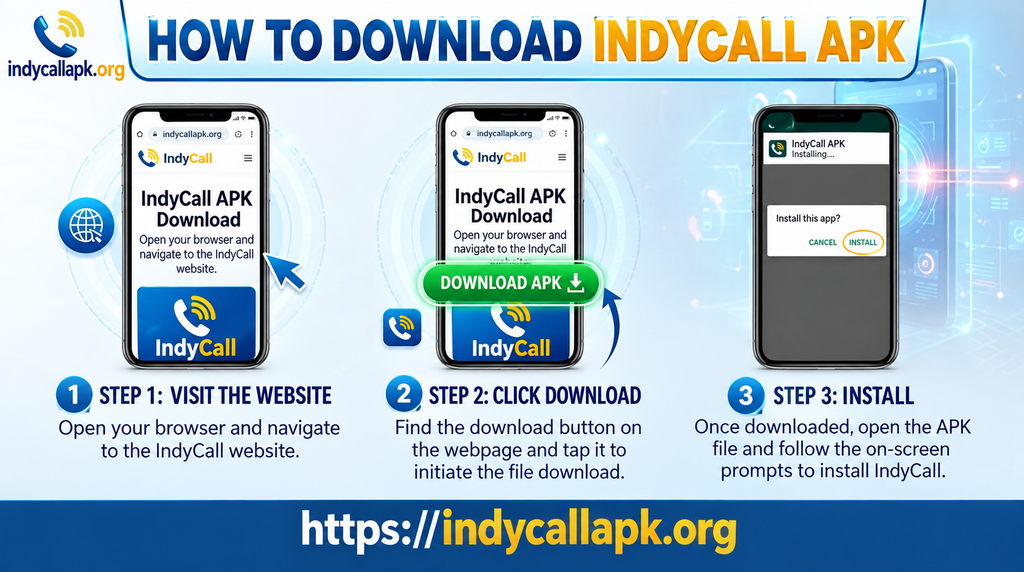
Here is a simple guide to download and install the IndyCall APK on an Android device and get the calling service ready.
- First, download the latest IndyCall APK file from a trusted source.
- Open your Android Settings and go to the security or app installation settings.
- Allow installation from the source you are using if Android asks for permission.
- Open File Manager and enter the Downloads folder.
- Find the downloaded file and tap it.
- Press Install and wait for the setup to finish.
- Open the application after installation is complete.
- Allow the required microphone, contacts, and other permissions when requested.
- Sign in with your available Google ID or Apple ID where supported.
- Enter an Indian number with the +91 country code and start calling.
How to Use IndyCall APK?
Using IndyCall APK is straightforward, so you can get started without any complicated setup.
Main Usage Points
- Open the app after installation.
- Allow the required permissions for calling and contacts.
- Select a person from your phone book.
- You can also enter the Indian number manually.
- Make sure the number starts with +91.
- Check the available call duration shown before connecting.
- Start the call and complete the required advertisement step.
- Close the advertisement when the calling screen becomes available.
- Talk normally after the call connects.
- If the first connection does not go through, try dialing again.
- Open Get Minutes when you want more calling credit.
- Complete available tasks or surveys to earn free IndyMinutes.
- IndyMinutes when you want additional calling time.
- Use the number-registration option if you want to manage your caller number.
IndyCall Tips for New Users
Use a Stable Internet Connection
- IndyCall app works better with a strong WiFi or mobile data connection. A stable network helps maintain clear audio and reduces connection problems during calls.
Close Unused Apps
- it needs enough device resources for smooth calling. Close unnecessary apps running in the background before an important call to free up RAM and improve performance.
Keep the App Updated
- The app performs best when you use the latest available version. Regular updates improve performance, fix known issues, and provide access to the latest calling features.
Make a Short Test Call
- IndyCall APK lets you quickly check your connection before an important conversation. Make a short call first to confirm that the internet connection, microphone, and audio are working properly.
Check Your Audio Settings
- It requires clear microphone and speaker audio for a better calling experience. Check your device volume and microphone settings before calling so both sides can hear the conversation clearly.
Allow Required Permissions
- IndyCall APK requires microphone and contact permissions for its main calling functions. Allow the necessary permissions so you can access saved contacts, use your microphone, and make calls without unnecessary interruptions.
Pros and Cons of IndyCall APK
Pros
● Free calling to supported Indian phone numbers.
● Supports both mobile and landline numbers.
● The receiver does not need the app.
● The receiver does not need internet access.
● Simple and familiar calling process.
● Contact book support makes dialing faster.
● Manual number dialing is available.
● Call duration is shown before connection.
● IndyMinutes provide additional calling flexibility.
● Users can earn minutes through tasks and surveys.
● A temporary caller number is available.
● Personal number registration is supported.
● No fixed number-of-calls limit is listed by the official FAQ.
Cons
● nternet access is required to make calls.
● Free calls use an advertisement-supported system.
● Call duration depends on location and the number being called.
● Emergency, short, freephone, and some special service numbers are not supported.
Conclusion
IndyCall APK is a practical calling solution for users who need to contact Indian mobile and landline numbers through the internet. It provides free advertisement-supported calls, simple dialing, phone book access, visible call limits, temporary caller numbers, personal number registration, and IndyMinutes for additional calling benefits. Users can also earn minutes through available tasks and surveys. The receiver does not need IndyCall or an internet connection, which makes the service convenient for regular phone communication. With its straightforward dialer and simple calling process, IndyCall APK keeps international communication easy, especially for users who frequently call numbers in India.
FAQs
Does IndyCall APK allow video calling?
Is IndyCall APK free for making calls?
Yes, this calling app provides free supported calls through its advertisement-based calling system.
Is IndyCall APK safe to download from this website?
Download the mobile calling app from a trusted source and scan the APK file before installation.
Which Android version does IndyCall APK support?
This app requires a compatible Android device, with the exact requirement depending on the current version.
How much mobile data does IndyCall APK consume per minute?
This communication app uses internet data during calls, while the exact amount depends on call quality and network conditions.
Can I use IndyCall APK with mobile data?
Yes, this calling app works with mobile data when a stable internet connection is available.
How can I update IndyCall APK to the newest version?
Download the latest version from a trusted source and install it over the existing mobile calling app.
Does IndyCall APK allow video calling?
No, this app focuses on voice calls to supported phone numbers rather than video communication.
Does IndyCall APK keep my personal data private?
Check the app’s current privacy policy to understand how this communication app collects, uses, and handles your information.